2025-05-12 Live Training Call
2025-05-12 Live Training Call Read More »


Introduction Investment Dominator does not offer email services. However, if you purchased your domain through Investment Dominator, only our support team will have access to the domain settings. In this case, you can create a support ticket to share the necessary TXT and MX records, and our team will add them for you. To set
Sharing TXT and MX Records for Business Email Setup Read More »
If you get your list rated by Reworked.ai, you will receive back your list with a BETTY score number, which assesses the potential of land records, helping you prioritize and make better investment decisions. If you only want to mail out to records above a certain BETTY score rating, what you need to do is
How To Select and Mail to Prospects with BETTY Scores Over 100 Read More »
Copy/Paste the content below into the ‘Source‘ tab of the Custom Page editor: NOTE: The areas that are bolded in the code above indicate that they may require some adjustment.
Custom New Offer Request form Read More »
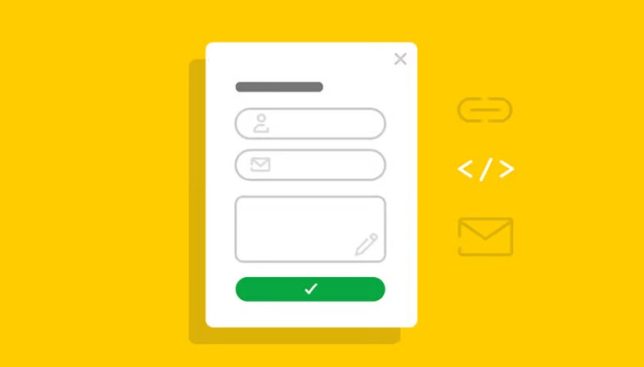
The Investment Dominator includes ready-to-use websites with essential intake forms, such as offer requests and opt-in forms; however, as your business grows, you may want to create custom pages and forms for your system or websites. Let’s explore how to create a custom page on your Buying Website featuring a form for sellers to request
How To Create An Intake Form For A Custom Page Read More »
Welcome to the FAQ page for integrating ReWorked.ai with Investment Dominator. Here, we have compiled the most frequently asked questions to help you navigate the integration process, understand how to use the system, and leverage the Betty Score for your land records. 1. What is ReWorked.ai? ReWorked.ai is an advanced AI platform designed to enhance
ReWorked.ai Integration FAQs Read More »
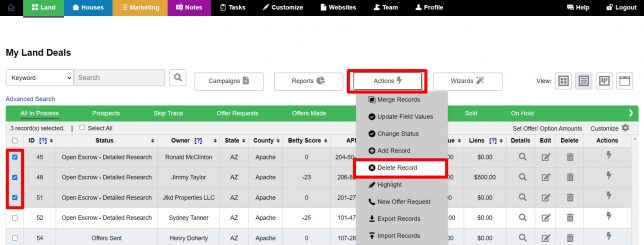
Before deleting records, ensure you have the necessary permissions configured in your user settings. This guide will walk you through the steps to set permissions and delete records individually or in bulk. Follow the instructions below to manage your records efficiently and securely from Investment Dominator. Setting User Permissions Go to “Team” > “Edit” >
Delete Bulk or Individual Records Read More »

What is TCR Compliance? TCR compliance, short for Telephone Consumer Protection Act (TCPA) Compliance Regulations, governs how businesses can engage in SMS marketing. Any business that sends out SMS notifications or messages to customers should comply with TCR legal requirements to avoid fines or lawsuits. This includes obtaining proper consent from recipients before sending marketing
SMS Marketing and TCR Compliance Read More »
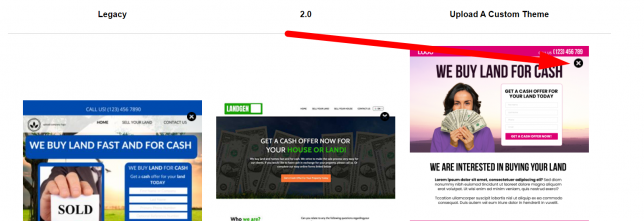
If you would like to remove a custom theme that is currently active, first activate an alternative theme under the ‘Customize> Select Your Buying Site Theme’ section and save the change by clicking the ‘Update Site’. Access Customize: Log in and go to the “Customize” section. Website Settings – Buying: Click on “Website Settings –
How To Remove A Custom Buying Site Theme Read More »
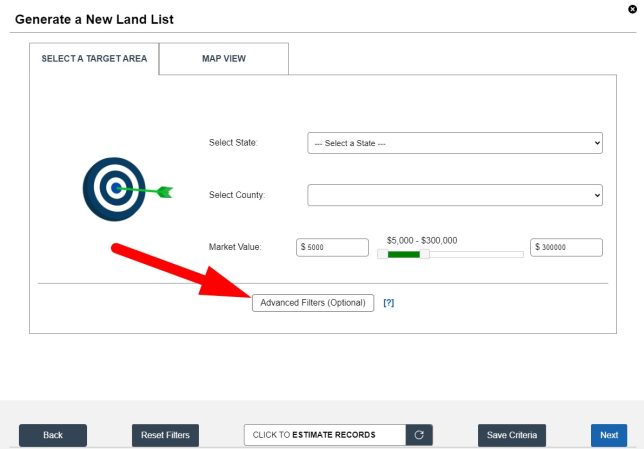
When importing prospects from the Investment Dominator Data Service into your system you can access up to 55 filters that allow you to refine your land lists to exactly what you are looking for. NOTE: By default we do pre-select some standard LPG filters for you, if you would like to learn more about these
Data Service: Filters Read More »
While the Investment Dominator was designed with a certain deal flow and specific statutes in mind, it can be customized to fit any investment strategy. So here’s how you can change the Envelope font and size font for use in the Investment Dominator: Log into your Investment Dominator account and then click on ‘Customize‘. Then,
How To Change The Envelope Font And Font Size Read More »
This concise guide will show you how to remove or reset your domain in Investment Dominator. Managing your domain effectively is vital for maintaining your online presence. Follow these steps for a seamless process. Step 1: Log in Access your Investment Dominator account by logging in with your credentials. Step 2: Go to “Customize” Find
How To Remove Your Domain From The Selling/Buying Site Read More »
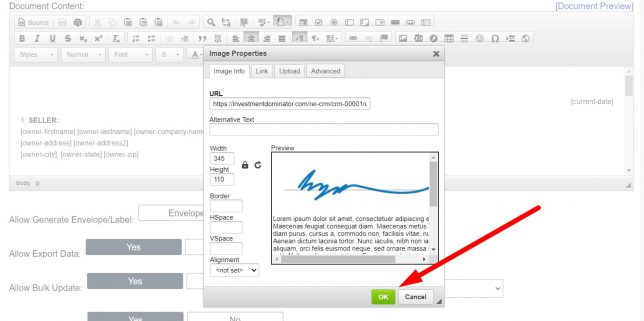
First, navigate to the ‘Customize> Custom Documents> Custom Document Templates‘ area. Click either the ‘Add Document’ option to create a new custom document or the ‘Edit‘ option next to a custom document that you would like to edit: Upload and Embed An Image File: To do this simply click the Image icon from the Editor options,
How To Add An Image To A Custom Document Read More »
We don’t recommend that you change any of our built-in document templates as these have been tested and tweaked over thousands of successful deals. For this reason, we only give you the option to create your own custom documents instead of editing our built-in templates. However, if you would like to test out variations of the
How To Customize Jack’s Option Templates Read More »
There are two ways to add your signature to a custom document. First, navigate to the ‘Customize> Custom Documents> Custom Document Templates‘ area. Click either the ‘Add Document’ option to create a new custom document or the ‘Edit‘ option next to a custom document that you would like to edit: Option 1: Use The [my-signature]
How To Add Your Signature To A Custom Document Read More »
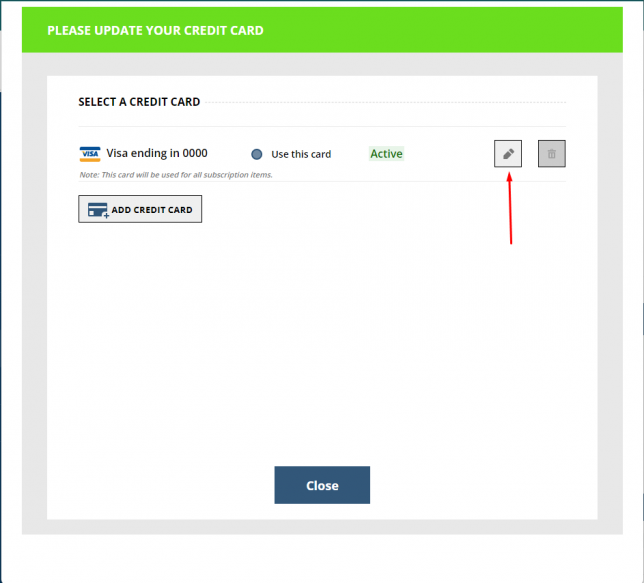
You can change your payment method or card on file in just a few steps. Log into your Land Profit Generator Student Portal and click the ‘My Profile’ option from the left menu. Scroll down to the ‘My Account‘ section and click the option that says ‘Update Payment Info‘: A new window will open that
How To Change Your Payment Method For Investment Dominator Read More »